Free travel budget template for group trips (Excel and Google Sheets)
A free spreadsheet that plans a group trip budget and splits it. Set a budget per category, log expenses as you go, watch planned against actual, and get who pays whom in the fewest transfers.
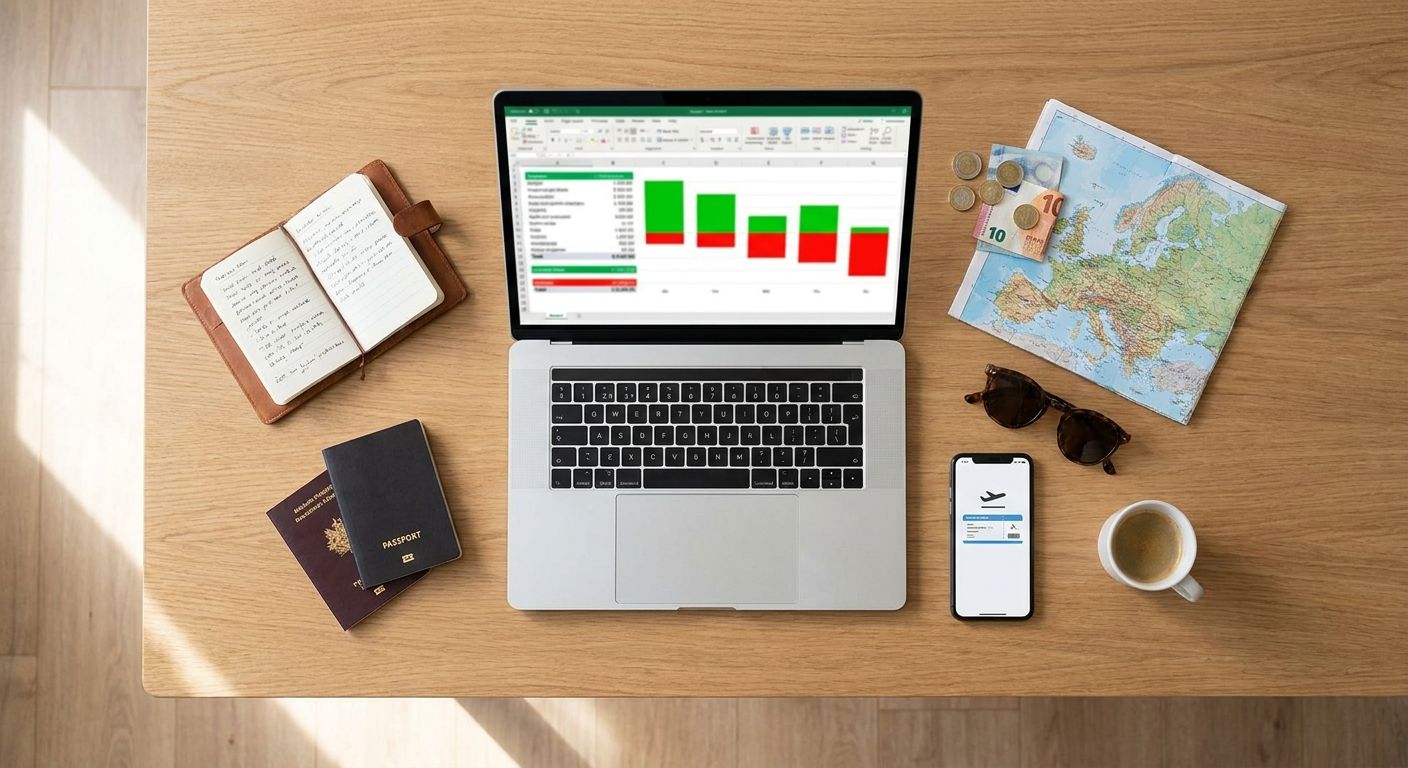
Most travel budget templates do one of two jobs. They help one person plan what a trip might cost, or they help a group work out who owes what once it is over. A group trip needs both at the same time, because the budget you set in week one is the thing you are trying to hold on day four, and the person watching it is rarely the person who paid for the flights. This page gives you a free spreadsheet that does both jobs in one file, walks through how it works, and is honest about where a spreadsheet runs out.
The short answer
A group travel budget template needs four moving parts. A budget sheet where you type what you plan to spend per category (flights, accommodation, local transport, food, activities) and see it turned into a budget per person and a budget per person per day, which is the number most people actually travel by. An expenses sheet where every row is one real expense: date, description, category, who paid, the amount, and one column per traveller holding their share of it. A live link between the two, so what you actually spend flows back into the budget sheet and shows what is left in each category while the trip is still happening, not after. And a settle-up step that turns the final balances into who pays whom in the fewest transfers, so the trip is fully accounted for from planning to payback. Download the free template here; it has all four, works in Excel, and imports cleanly into Google Sheets.
Download the template
Grab the file: group-trip-budget-template.xlsx. It is free, has no macros, and asks for nothing in return, no email address included. There is no year in the file name because nothing in it goes out of date, so the same copy works for next summer. Prefer Google Sheets? Open the template in Google Sheets and it will offer to make your own copy straight into your Drive.
It ships with a worked example, a five-day trip to Lisbon for three people, so you can see every formula doing its job before you clear it out. The example is deliberately set mid-trip, with the flights and the apartment already paid and most of the food budget still to spend, because that is exactly the moment a budget sheet is worth opening. Rename the travellers once on the Balances tab and everything else follows: the share columns, the who-paid dropdown, the balances, the settle-up math.
Calculated cells are lightly shaded throughout, so you only ever type in the white ones.
What is inside: the five tabs
| Tab | What it does |
|---|---|
| Trip budget | Trip name, dates, currency, days and travellers, then planned against actual for every category, then the per-person and per-person-per-day figures |
| Expenses | One row per expense, with each traveller's share filled in automatically as an equal split and editable when it is not |
| Balances | What each person paid, what they owe, and the net, with a check that the nets cancel out |
| Settle up | Who pays whom, in the fewest possible transfers |
| How to use | The same instructions as this page, inside the file, for whoever you share it with |
Step 1: set the budget before you go
On the Trip budget tab, fill in the trip name, the start and end dates, and the currency you are counting in. Days works itself out from the dates, and travellers counts the names on the Balances tab, so neither is a number you have to remember to update.
Then type what the group plans to spend in the Planned column, one line per category. The nine categories that ship (flights, accommodation, local transport, food and drinks, activities and tours, groceries, shopping and gifts, fees and insurance, other) are only a starting point. Rename them to suit the trip: a ski week wants lift passes and gear hire, a festival wants tickets and campsite. The Expenses dropdown reads its options straight from this list, so renaming a category here updates the plan and the log together, which is the small thing that keeps the two from drifting apart by day three.
The number that actually matters: per person, per day
A group total is hard to feel. Nobody knows whether 1,800 for a trip is generous or tight until it is broken down, which is why the template does the breaking down for you. The example trip looks like this:
| Whole group | Per person | Per person per day | |
|---|---|---|---|
| Planned | 1,800 | 600 | 120 |
| Spent so far | 1,572 | 524 | 104.80 |
| Left | 228 | 76 |
Three travellers, five days. Suddenly the plan is a sentence you can check against real life: 120 a day each, and we are running at 105. That is a number people can hold in their head at a restaurant, which a group total never is.
It also works backwards, which is the more useful direction when you are still deciding. Start from a per-person-per-day figure the group can genuinely afford, multiply it out, and let the category rows argue with each other until they fit. If you want real numbers to start from rather than guesses, we published every receipt from an 11-day trip to Japan and a per-person Oktoberfest budget, both broken down by category and by day.
Step 2: log expenses as you go
Every expense is one row on the Expenses tab. Five columns to type, the rest calculated.
| Column | What goes in it | Example |
|---|---|---|
| Date | When it happened | 2026-07-06 |
| Description | What it was | Dinner, first night |
| Category | Pick from the dropdown, which reads the Trip budget tab | Food & drinks |
| Paid by | Exactly one name, picked from the dropdown | Riya |
| Amount | The full amount that person paid | 96.00 |
| One share column per traveller | Their slice of this expense, filled in as an equal split; type over it for an uneven one, or 0 if they were not there | 32.00 |
| Row check | Shows CHECK in red when a row's shares stop adding up to the amount | OK |
| Notes / receipt link | Optional: paste a link to the receipt photo so nobody has to ask what a number was | (a link) |
The file comes with 200 rows already carrying their formulas, so you can fill it as fast as the trip happens without dragging anything down.
Step 3: watch the plan against reality
This is the part most travel budget templates leave out, and the reason this one exists. The Spent column on the Trip budget tab is not typed by anyone. It reads the Expenses tab and adds up every row in that category, so Left, Used and Status move on their own as the trip happens. Partway through the example trip:
| Category | Planned | Spent | Left | Status |
|---|---|---|---|---|
| Flights | 600 | 660 | -60 | Over |
| Accommodation | 500 | 480 | 20 | On track |
| Local transport | 90 | 75 | 15 | On track |
| Food & drinks | 300 | 96 | 204 | On track |
| Activities & tours | 150 | 135 | 15 | On track |
| Groceries | 60 | 54 | 6 | On track |
| Shopping & gifts | 60 | 72 | -12 | Over |
| Fees & insurance | 40 | 0 | 40 | On track |
| Total | 1,800 | 1,572 | 228 | Under budget |
Read that the way the group would. The flights came in 60 over, which is done and cannot be fixed. The souvenirs are already 12 over, which is a warning rather than a problem. And there is 204 still sitting in the food budget, which is the useful piece of information: the group can eat properly for the rest of the trip and still land under. Colour helps here, green for money still to spend and red for over, and it updates the moment someone adds a row.
There is one more row worth knowing about. Anything logged with a category that is not on the budget list lands in "Everything else", so the total on the budget tab always reconciles to the total on the expenses tab. A sheet that quietly loses money is worse than no sheet, and this is the row that stops it happening.
Step 4: settle up at the end
Budgeting and splitting are usually two different files. They are the same file here, because they are the same expenses. The Balances tab takes the rows you already typed and works out three numbers per person: what they paid, what they owe, and the net.
| Person | Paid | Owes | Net | Meaning |
|---|---|---|---|---|
| Sam | 744 | 524 | +220 | Gets money back |
| Riya | 648 | 524 | +124 | Gets money back |
| Tom | 180 | 524 | -344 | Owes the group |
Sam booked the flights, Riya booked the apartment, Tom has mostly been paying for taxis, so Tom is a long way behind. The nets always add up to zero across the group, and the tab says "Balanced" when they do, which is a cheap and surprisingly effective check that nobody fat-fingered an amount.
The Settle up tab then turns those nets into instructions: Tom pays Sam 220, Tom pays Riya 124, and everyone is at zero. Two transfers, instead of the tangle of criss-crossing IOUs a trip normally ends with, and the saving grows fast as the group does. If you want the reasoning behind that, we wrote it up in who owes who after a group trip.
Using it in Google Sheets
If your group lives in Google Sheets, which is usually the right call on a trip because everyone can open it from a phone, open the Sheets version and click Make a copy when Google asks. Downloading the file and using File, Import, Upload works too. Everything makes it across: the formulas, the category and who-paid dropdowns, the conditional colours, and the settle-up math. Share it with edit rights and the person holding the receipt can add the row instead of texting a photo to whoever owns the laptop.
Nothing in the file uses a function that is specific to one program, which is deliberate; it is all SUMIF, INDEX, MATCH and IF.
Adapting it to your trip
Adding travellers. Type a name in the next empty row on the Balances tab, up to six. Their share column appears on the Expenses tab and every equal-split formula re-splits across the bigger group, including rows from before they joined. If they arrived on day three, type 0 in their column on the older rows and put the other shares back; the Row check column will keep flagging those rows until they add up again.
Uneven splits. Type each person's share straight over the formula, or use a percentage like =E3*40% for the couple sharing a room while the other two are in a twin. The skydive that only two people did is the same move: 0 for everyone else.
More than one currency. This is the honest limit of any spreadsheet. The template counts in one currency, so on a trip that crosses a border you have to convert each expense as you enter it and pick a rate to be consistent about. It works, and plenty of people do it, but it is manual and it is where most trip spreadsheets quietly start going wrong.
When a spreadsheet stops being the right tool
A spreadsheet is genuinely good at the planning half. It is worse at the middle of a trip, and it is worth being clear about why rather than pretending otherwise. One person ends up as the bookkeeper. Nobody opens a spreadsheet standing outside a restaurant, so rows get logged from memory two days later, badly. Receipts stay in a camera roll that nobody else can see. And every border crossing turns into a conversion you do by hand.
That middle stretch is what HippoSplit is built for. It works like a group chat, so logging an expense is something anyone can do in the ten seconds while the card machine prints. Type "lunch 24.50 split with Anna and Ben" into the chat and it becomes an expense. Or post a photo of the receipt straight into the chat, like sending a picture to friends, and HippoSplit reads the items, amounts and currency off it and logs the whole thing. Posting the photo is the easiest way to keep track as you spend, because it takes no decision and no typing at the table.
The multi-currency problem disappears too: 150-plus currencies with live rates, converted as you go, so the ski passes in one country and the street food in the next sit in the same running total. Everyone in the group sees the balance update in real time instead of waiting for the bookkeeper, and settling up uses the same fewest-transfers logic the template does. More on that on the travel expense tracker page. It is free to start, with 20 AI receipt scans a week on the free tier.
Use both if you like; plenty of people do. Plan the trip in the spreadsheet, run the trip in the app. And if you want the same splitting engine without the budgeting half, for a flatshare or an ongoing group rather than a trip, that is our expense-splitting spreadsheet template.
Frequently asked questions
Is this travel budget template really free?
Yes. No email address, no signup, no macros, no locked cells. Download it, edit anything in it, share it with whoever you like. We make HippoSplit, so our hope is simply that if the spreadsheet ever starts feeling like work mid-trip, you will remember who gave it to you.
Does the travel budget spreadsheet work in Google Sheets?
Yes. The quick way: open the Sheets version and click Make a copy when Google asks. You can also open sheets.google.com, then File, Import, Upload, and pick the downloaded file. The formulas, dropdowns, colours and settle-up math all carry over, because nothing in the file uses an Excel-only function. Sheets is usually the better choice for a group trip anyway, since everyone can open it from a phone.
How much should I budget per person per day for a trip?
It depends far too much on the destination for a single number to be useful, which is why the template makes you work it out rather than handing you one. The reliable method is to price the two fixed costs first, flights and accommodation, subtract them from what the group can afford, and divide what is left by people and days. That leftover figure is your daily allowance, and if it looks impossible the trip needs to be shorter or cheaper. For a real worked example, our Japan trip came out at about 118 US dollars per person per day, receipts included.
Can the template handle more than one currency?
Not on its own. It counts in the single currency you name on the Trip budget tab, so on a multi-country trip you convert each expense as you enter it and stay consistent about which rate you used. That is the one job where an app genuinely beats a spreadsheet, because live conversion of 150-plus currencies is not something you want to be doing by hand at the end of a long day.
How many people can it handle?
Six travellers and 200 expenses, which covers the great majority of group trips. The cap is there because a share column per person gets unreadable fast on a phone screen, and a trip big enough to need ten columns is a trip where somebody should not be maintaining a spreadsheet.
What if someone skips an activity?
Type 0 in their share column on that row and put the remaining shares back across the people who went, for example =E12/3 if three of you did it. The Row check column shows CHECK in red until the shares add up to the amount again, so a half-finished edit cannot quietly skew the balances.
I only need to split one bill, not a whole trip
Then a budget sheet is more machinery than you need. Our free bill split calculator does a single bill in the browser, tax and tip included, with nothing to download.
The bottom line
A trip budget that nobody checks against real spending is just a wish, and a splitting sheet that only appears on the last night is an argument waiting to happen. Keeping both in one file fixes both problems, because every expense someone logs does two jobs at once: it moves the budget and it moves the balance. Download the template, rename Sam, Riya and Tom, and set your categories before anyone books anything.